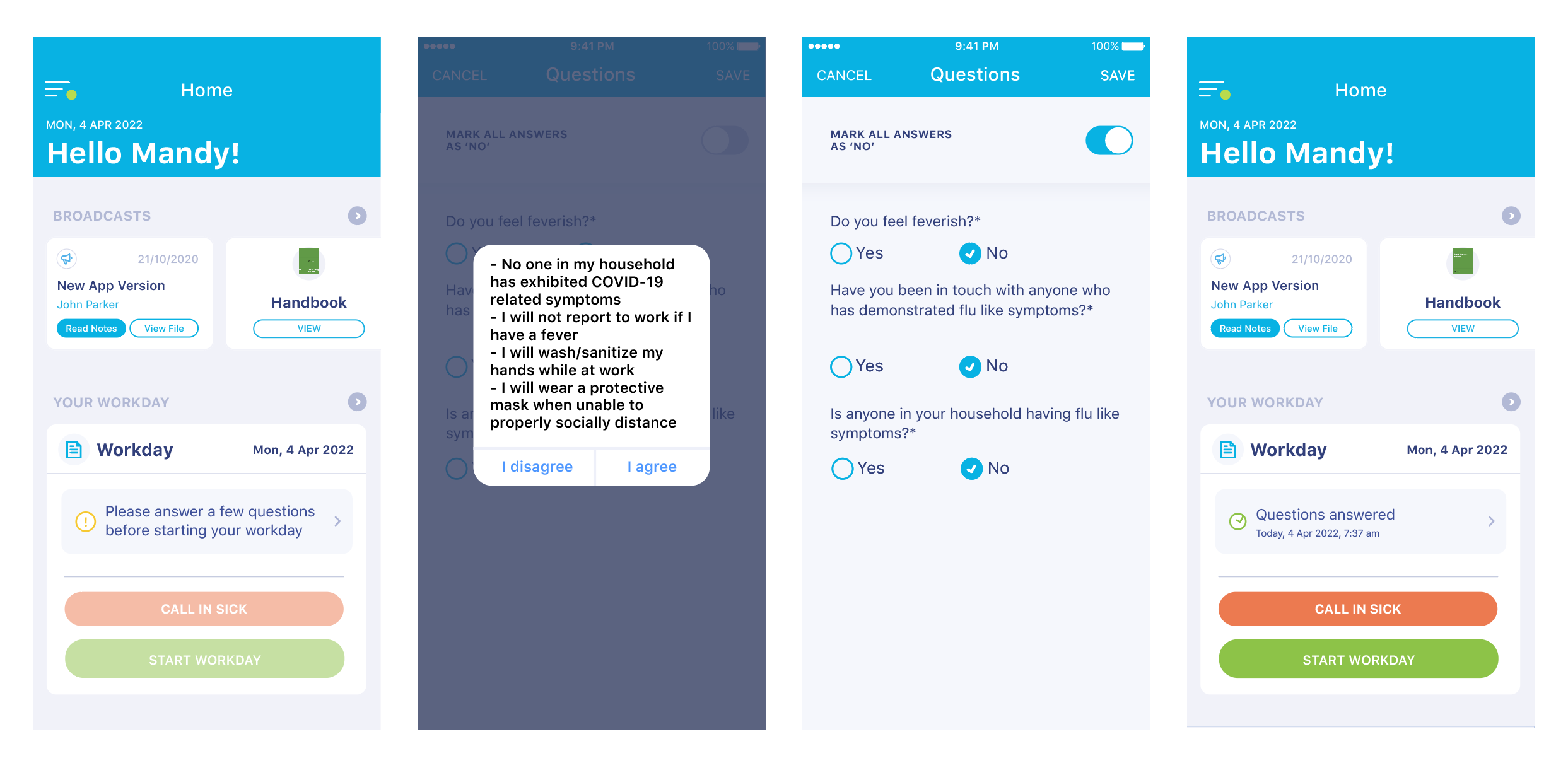
At the beginning of each workday, you will first be asked to answer an agreement pop-up and then three questions related to COVID.
You can do this as shown below.
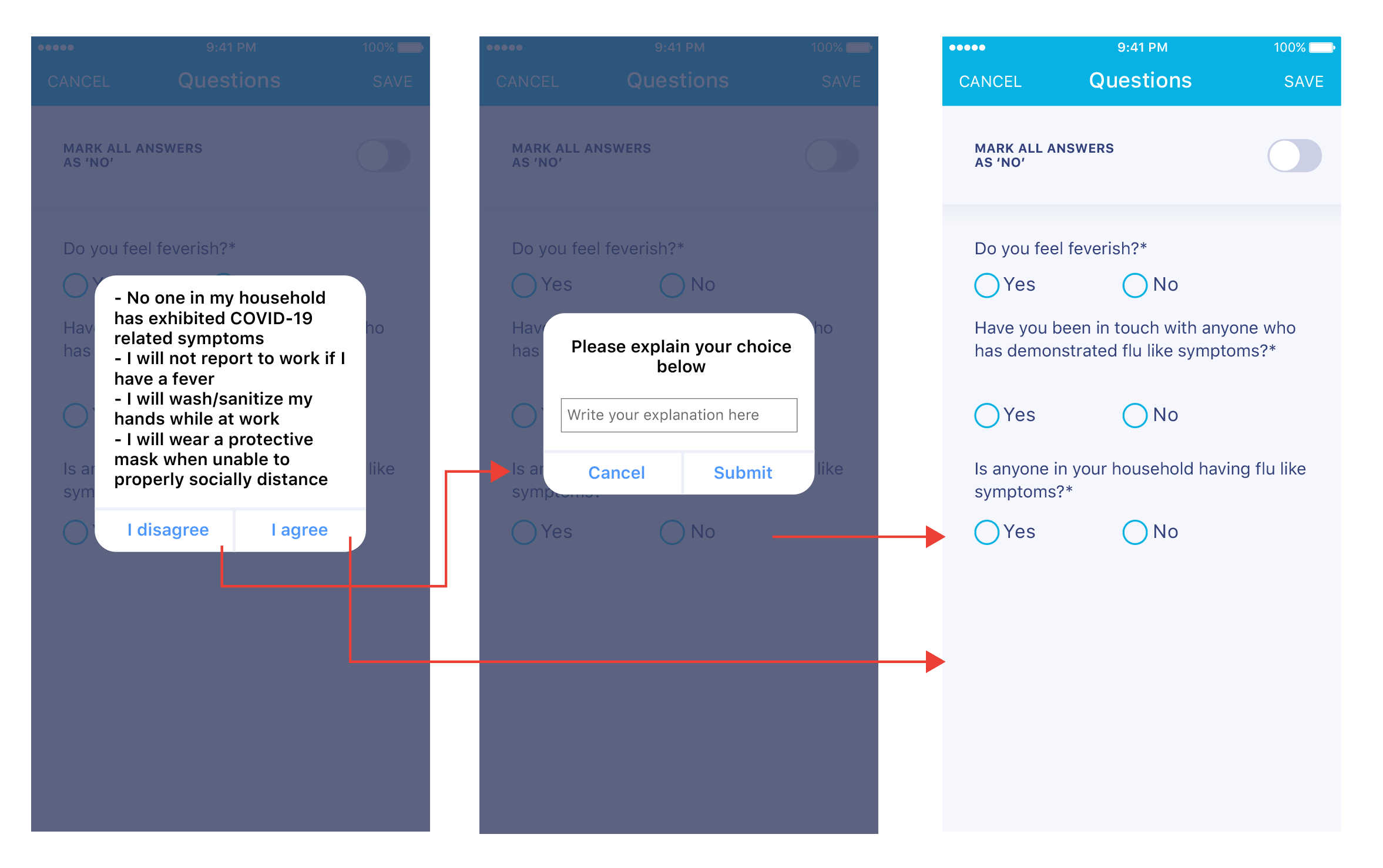
If you agree with the pop-up statement, use the 'I agree' option. Otherwise, if you disagree, type in what precisely you disagree within the follow-up pop-up after clicking 'I disagree'. Then click 'Submit.'
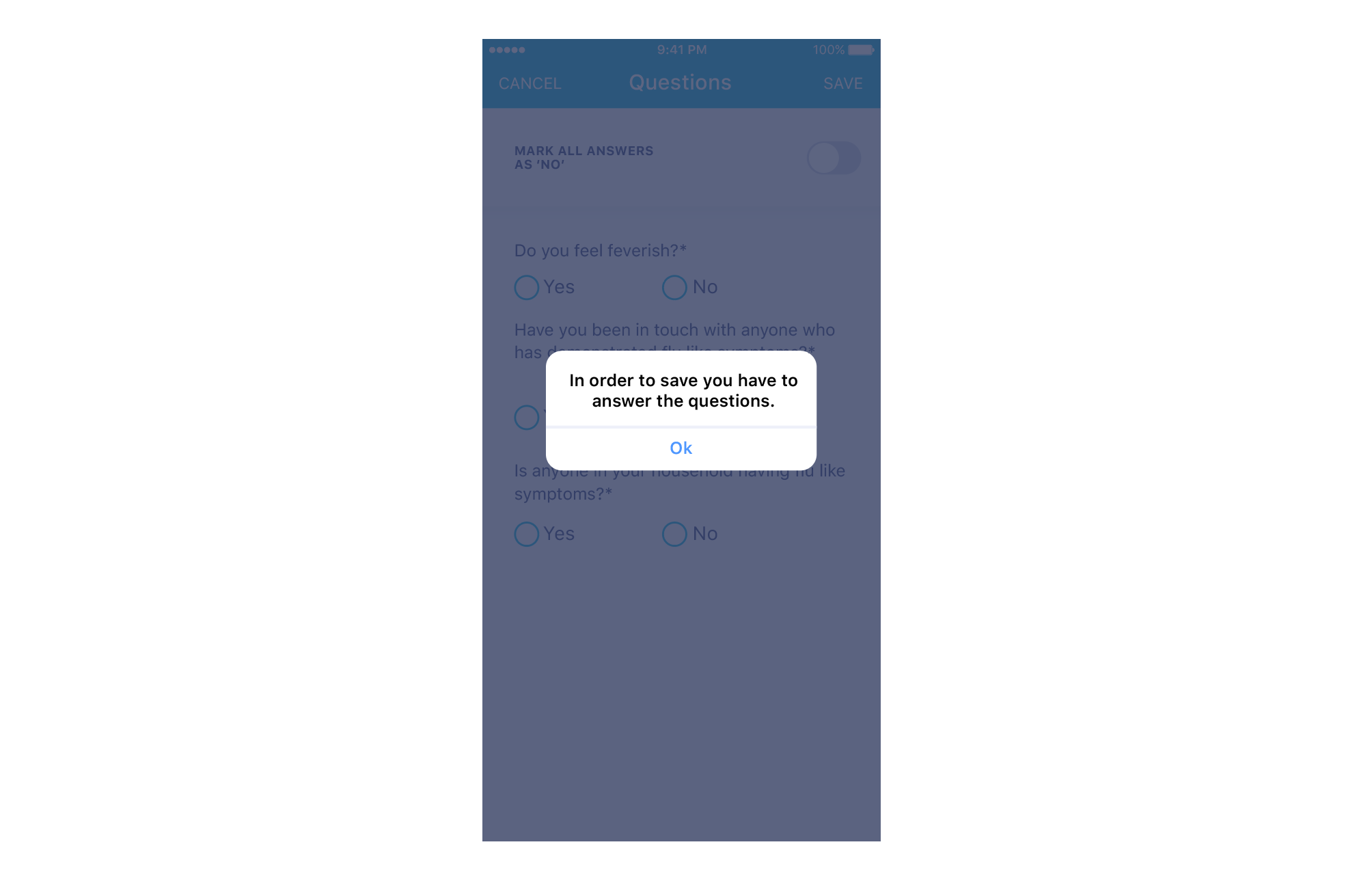
You will now need to answer the COVID-related questions. You will not be able to start your workday without answering these questions. If all answers to the questions are 'No' in a day, you can also use the 'Mark all answers as No' toggle to quickly answer them all.
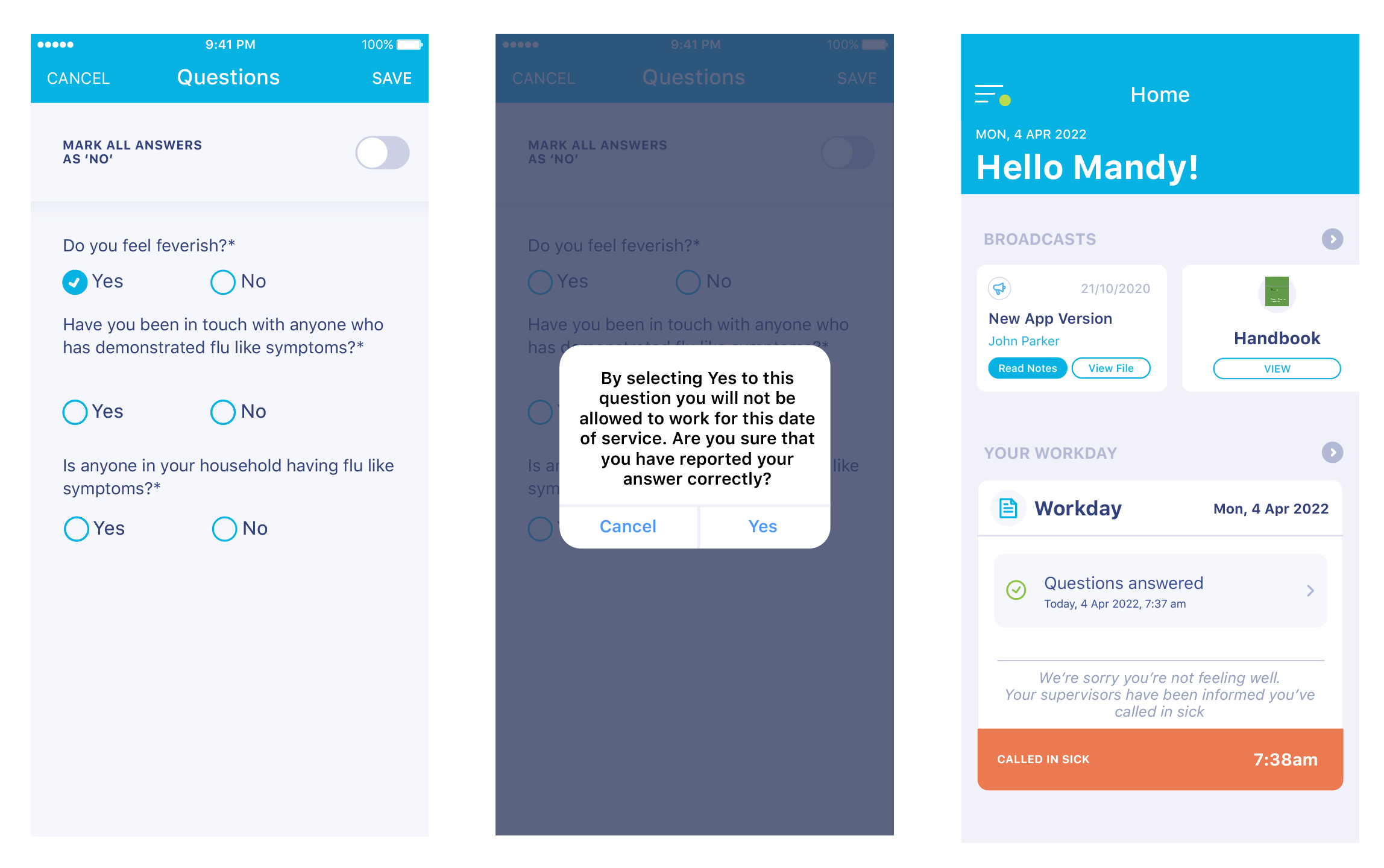
If you answer 'Yes' to the first question, the system will automatically assume that you are not feeling well and you should not be reporting to work. It will show a pop-up to confirm you have intended to answer with Yes, and if so, it will automatically call you in sick for the day, as well as automatically letting your supervisors know that you have called in sick.
Answering the second and third question with Yes will not prevent you from starting your Workday, but your supervisors will be informed in case they would like to further discuss with you on the matter.
If you need to call in sick for the day, you can use the red 'Call in sick' button on this form. It will ask you to type in your reason for calling sick. Your Workday will be marked as 'Called in sick', and your supervisors will be notified.
Contents