After you accepted your offer letter, you will receive an invite via sms and/or email to register on the kure mobile app (iPhone/Android). After you've download the app and registered you'll see in your Inbox tab a chat named Onboarding. Please review the forms/messages you've been sent by the recruiting team in this chat, and add you DOB+SSN, and NPI, as presented below.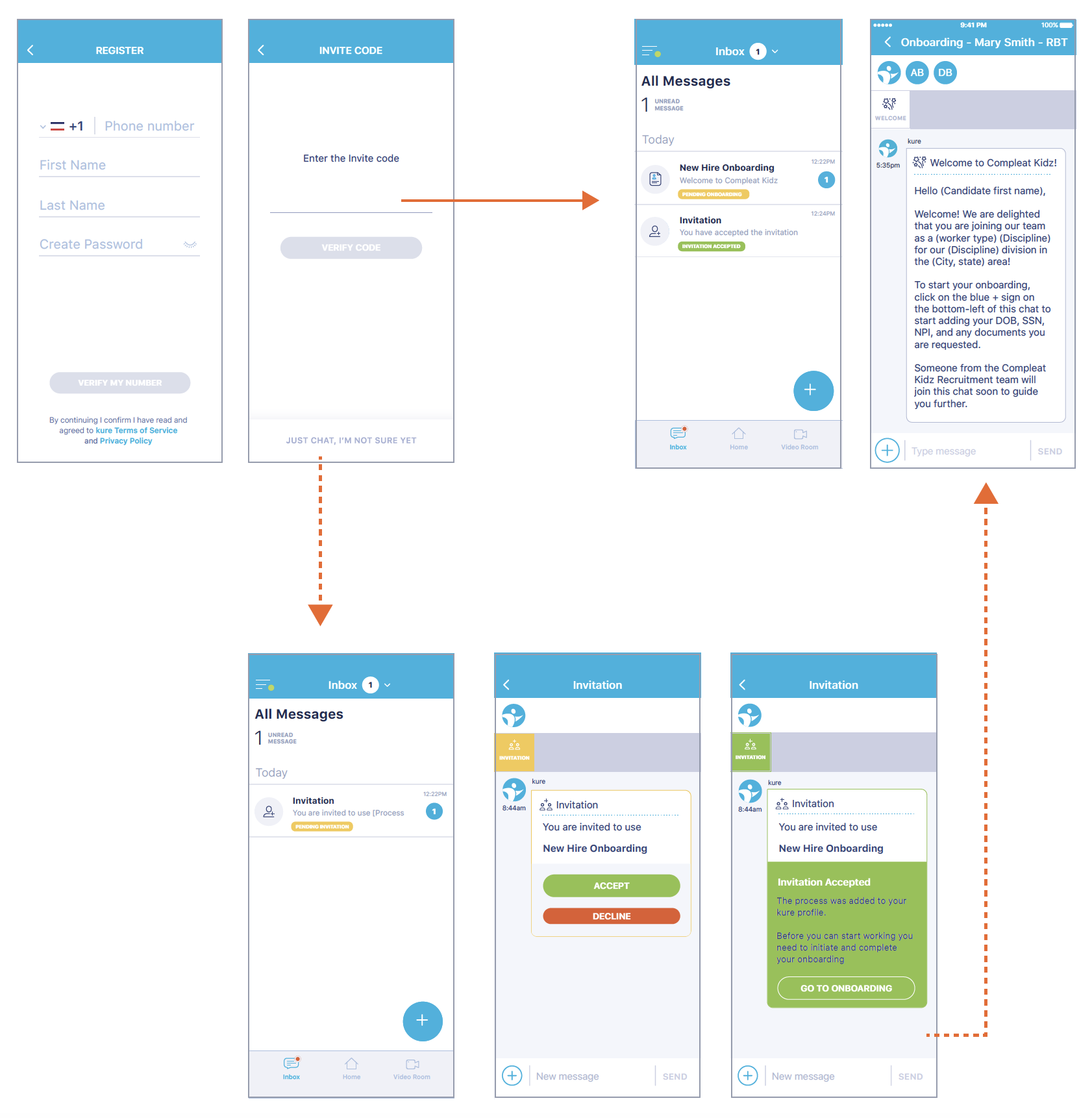
Use the + icon on the bottom left of your Onboarding chat, and select 'Add DOB and SSN'. A form will load. Fill in your information and tap 'Save'. The form will turn green.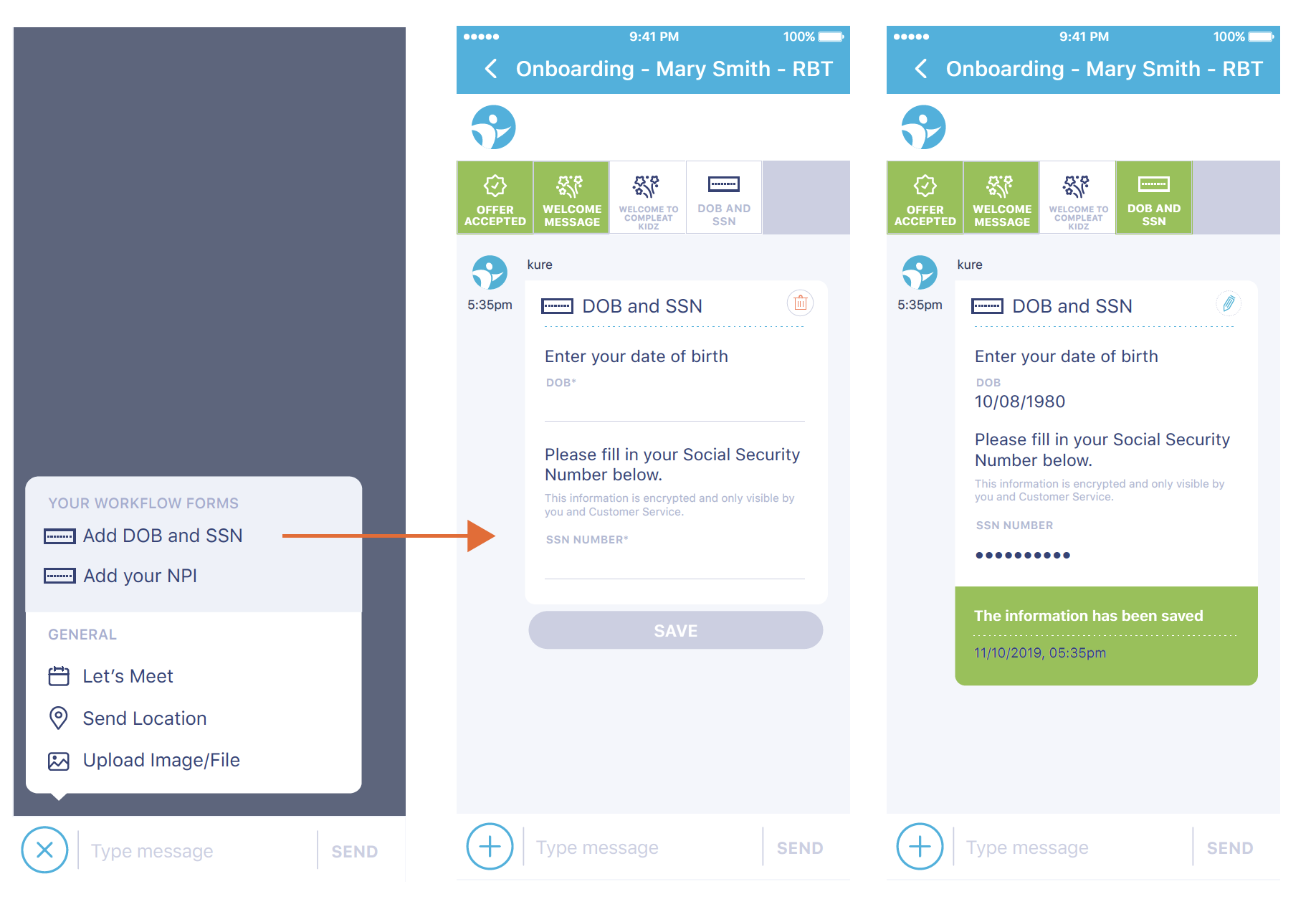
Use the + icon on the bottom left of your Onboarding chat, and select 'Add your NPI'. A form will load. You have two options: - If you already have an NPI, use the corresponding option, and input your NPI number. The system will validate it and ask you to confirm it. Once you do so, the form will turn green. - If you need to apply for an NPI, select the second option in the form. This will reveal your instructions to applying for you NPI using text and an attached file you can tap on to open. Once you follow the instructions and apply for your NPI, select 'I have applied for my NPI' on the form and tap 'Send'. The form will turn yellow, and your NPI will be loaded automatically by the system once it is available from the NPI Registry. 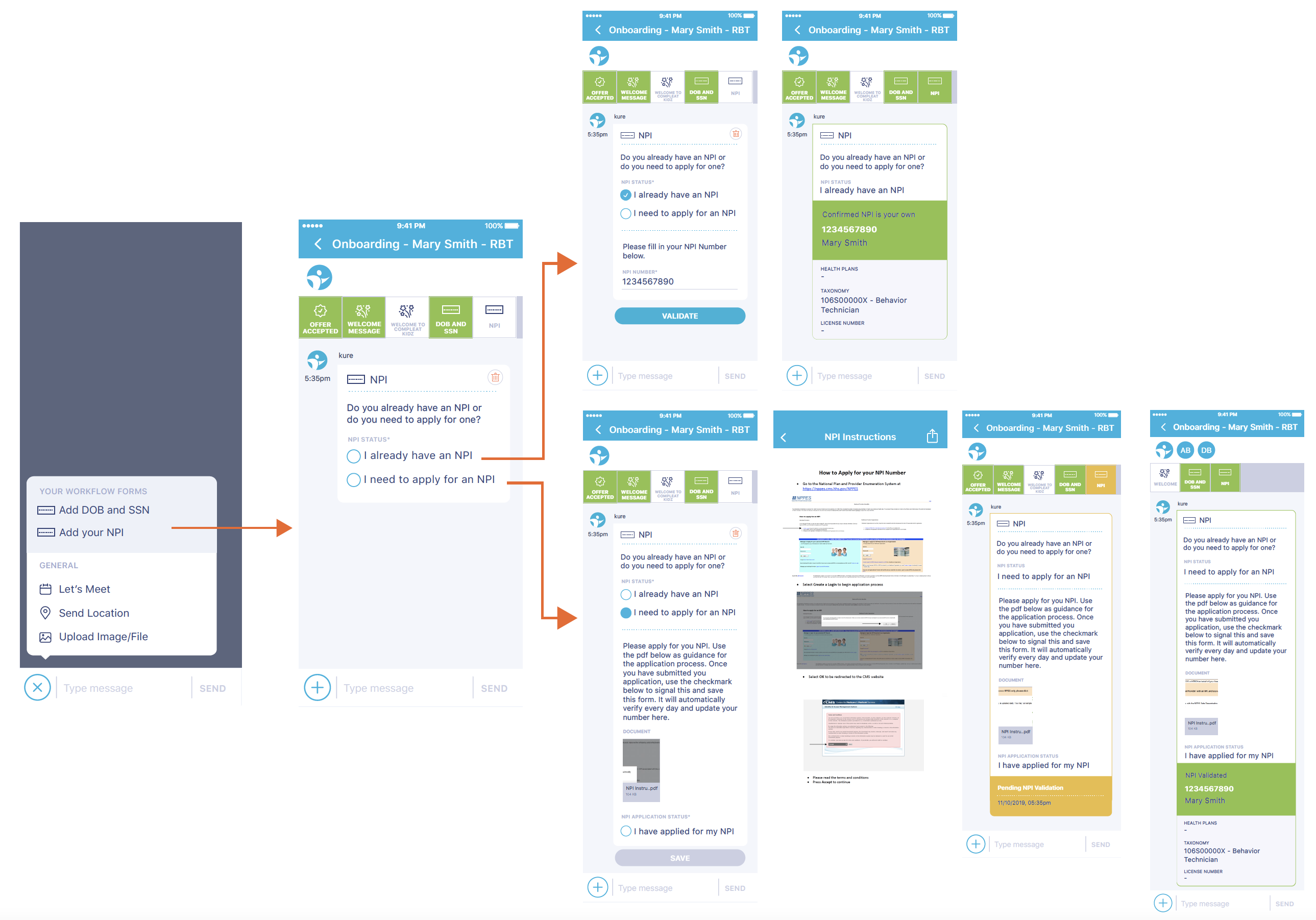
Contents