The diagram below describes the Handover process. After the parent/caregiver confirms their appointment, they receive a Handover request that is designed to be used when dropping off the child at the clinic. Once they send the Handover, the therapist having the session will see the handover status for that appointment as 'Confirm Handover'. Then, the Patient Visit takes place. When clicking 'End Session' on your patient visit, you will be able to add a Handover for the next therapist seeing the child in the day, or to hand them over back to the parent/caregiver, if this is their last session for the day.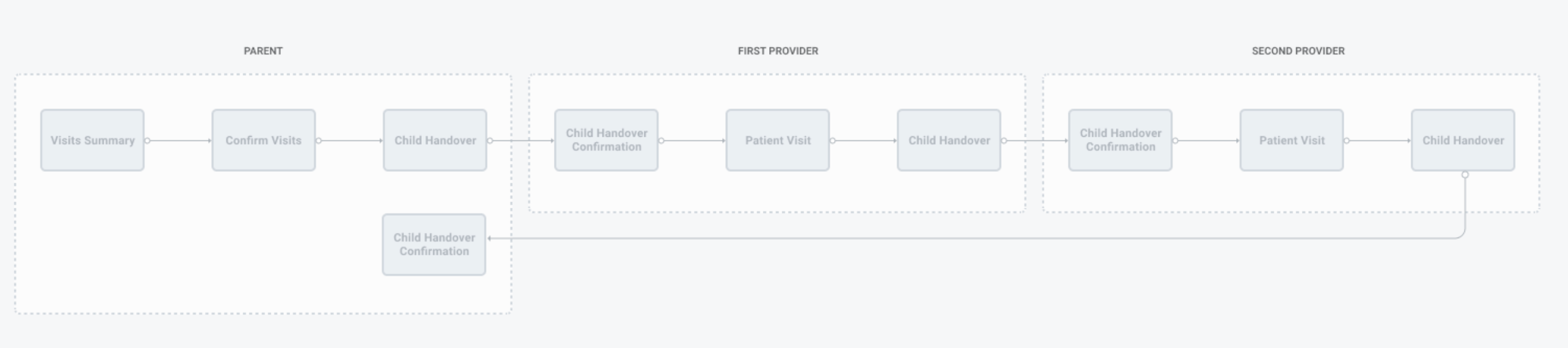
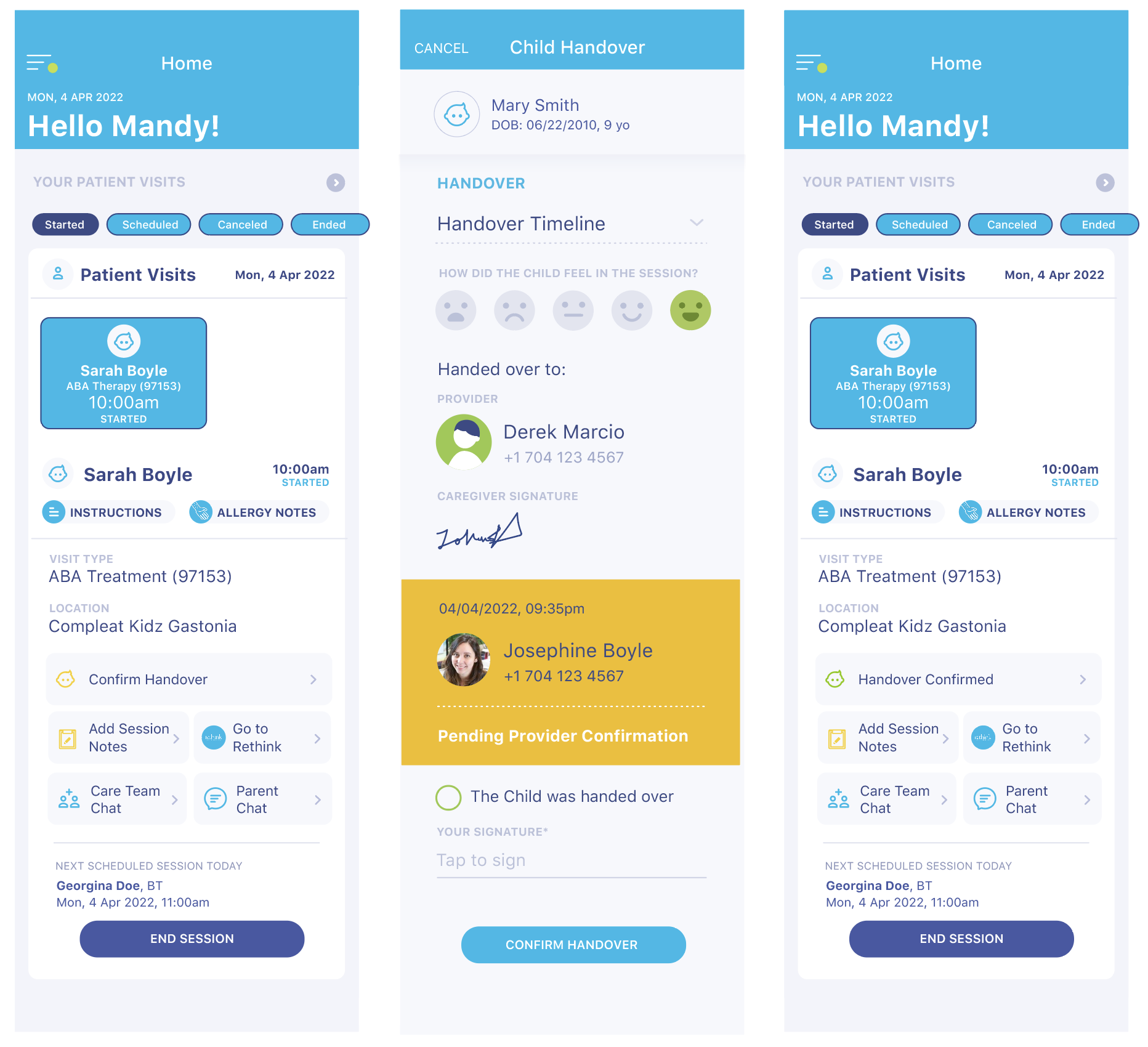
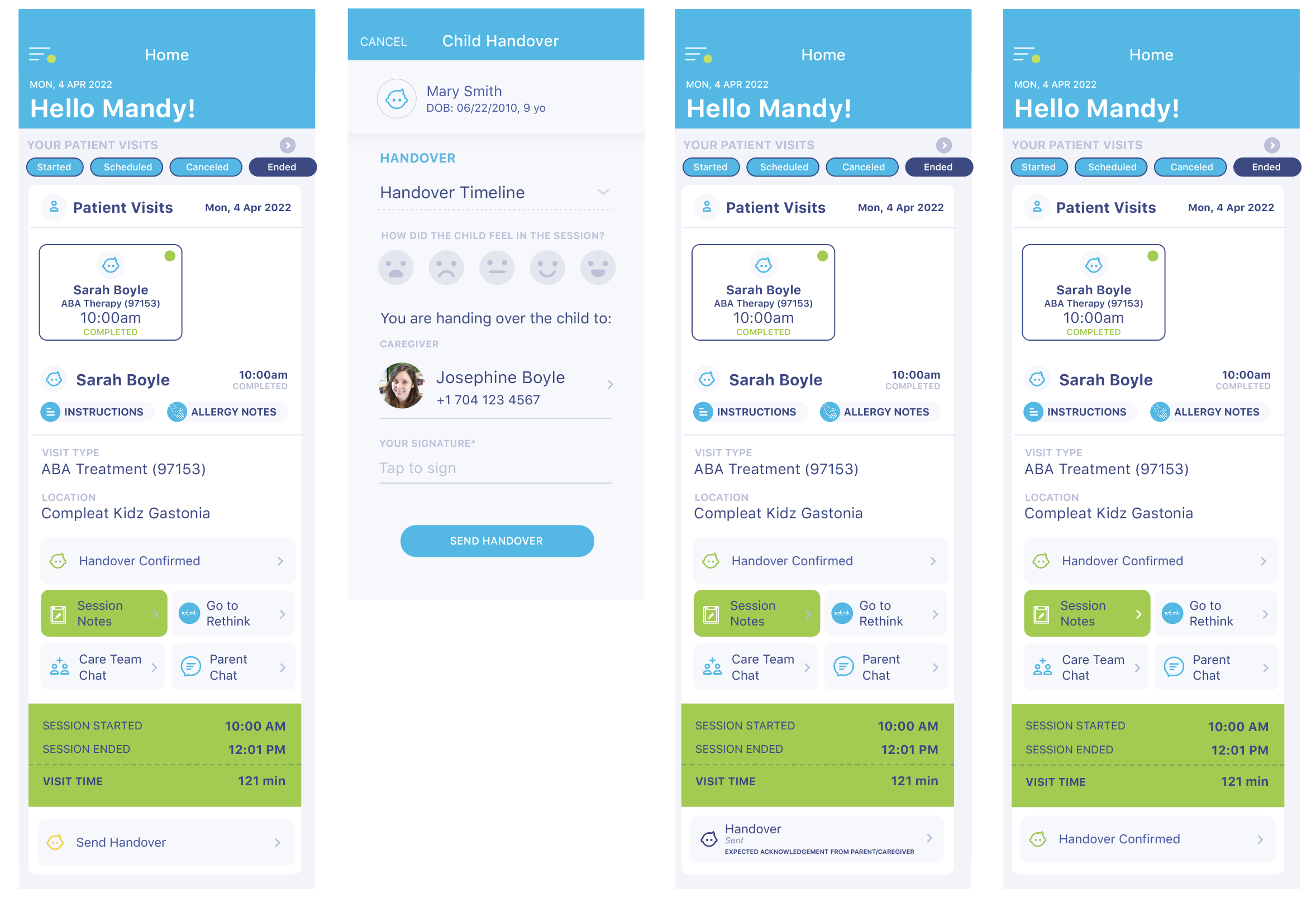
After confirming their appointment/s, the parents receive a request to handover in their kure app. They respond to the COVID related questions, and then select how the child is feeling today using one of the five emojis, sign, and Complete the Handover. After the parent or therapist sends the Handover, will see the handover status for that appointment as 'Confirm Handover' in your Visits section in Inbox. At the bottom of the Child Handover screen, you have some checkmarks and a signature field. Complete these and click on Complete Handover. This will change the Handover status to Confirmed. Once you End your patient visit, you will be able to add a Handover for the next therapist seeing the child in the day, or to hand them over back to the parent/caregiver, if this is their last session for the day. Select the emoji/face that best describes the child's mood during the session, and sign the form. The Therapist/Caregiver field will be pre-populated automatically, but if needed, you can tap on that field to change the person. After you send the handover, it will await acknowledgment from the person it was sent to, until they also confirm. 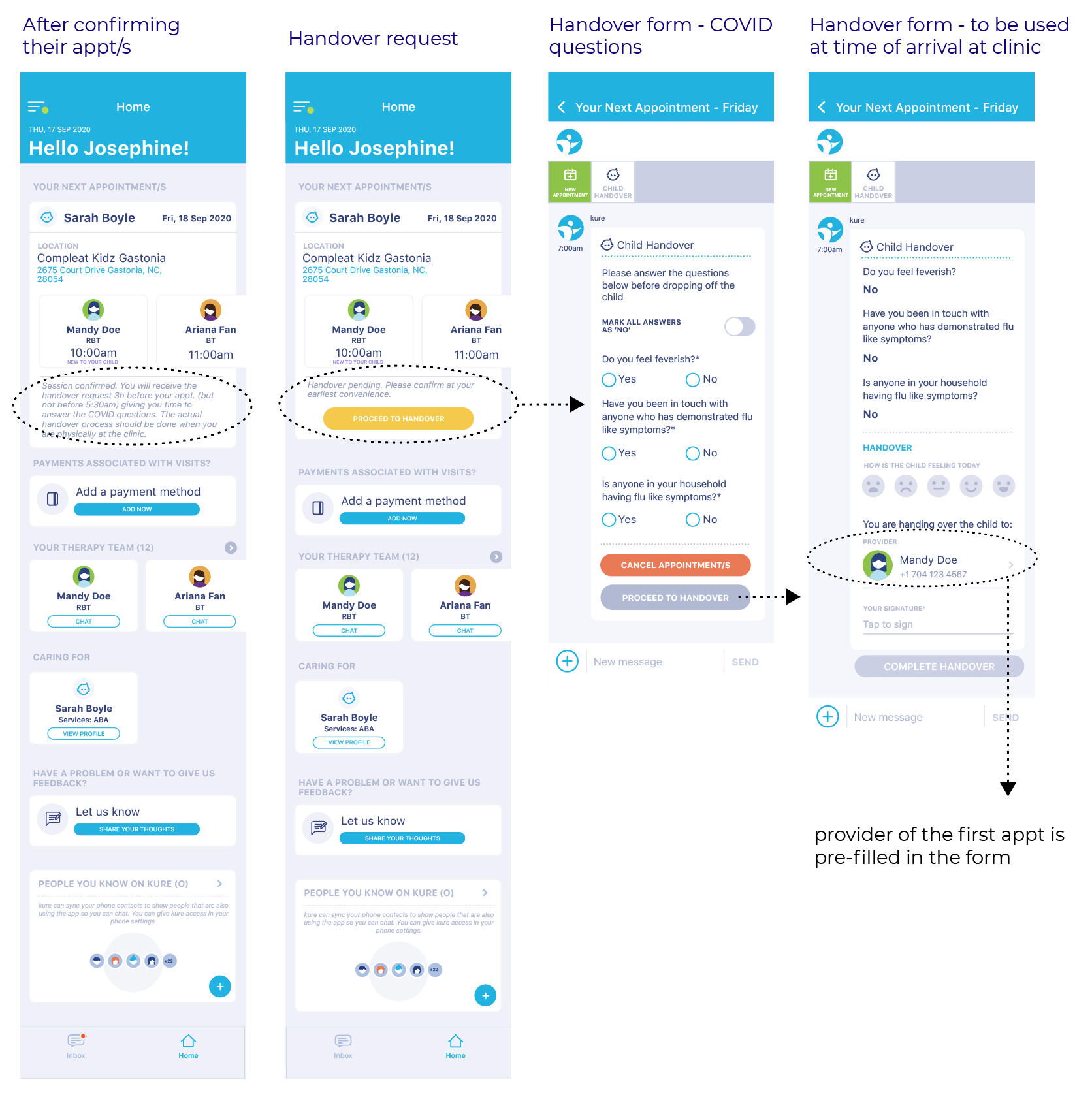
Contents