Session Start/End Time Confirmation
If when you close your Session form there is a variance from the scheduled start and end time, the Session Start/End Time Confirmation form will be displayed.
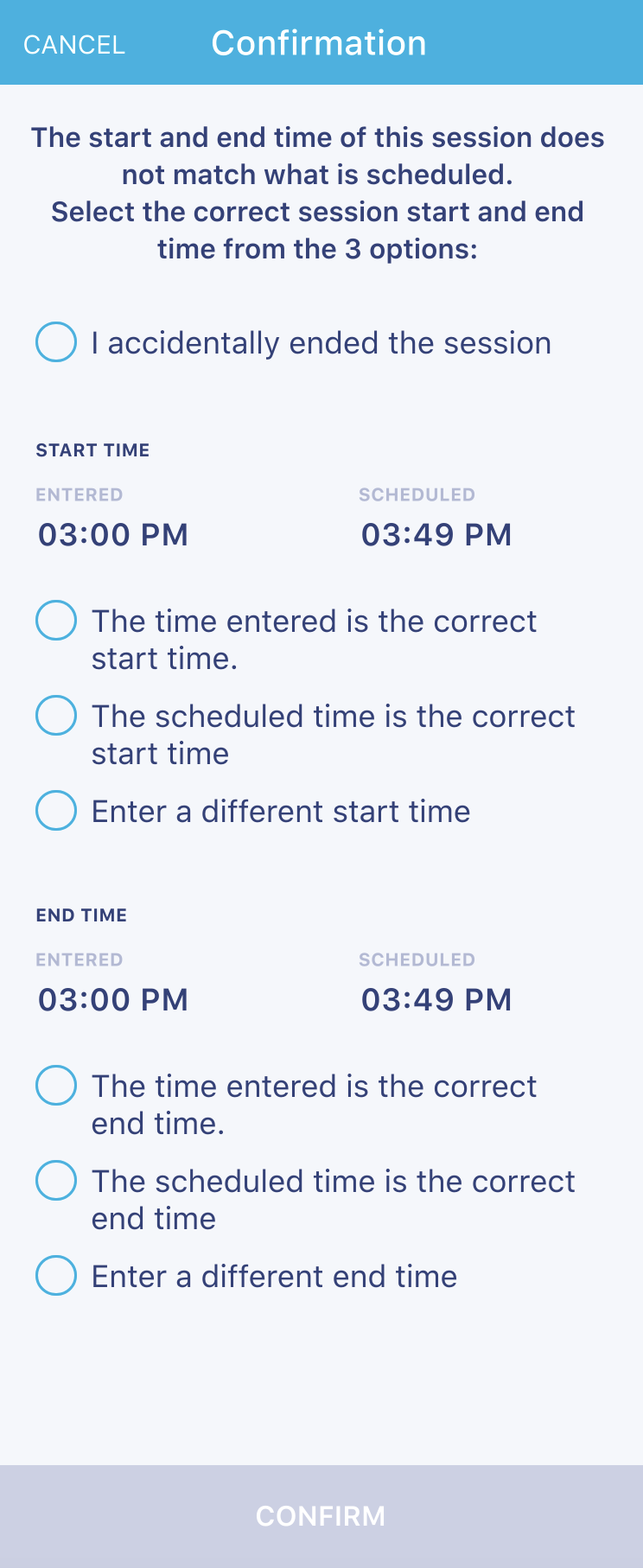
Complete the form, as follows:
- If you ended the session prematurely or if you ended the wrong session, you can check the "I accidentally ended the session" checkbox and tap CONFIRM. This will restore your Session form to editable status.
If you did not make an error by closing the Session form:
- Identify the correct Start Time
- The ENTERED time
- The SCHEDULED time
- Enter a different Start Time
- Identify the correct End Time
- The ENTERED time
- The SCHEDULED time
- Enter a different End Time
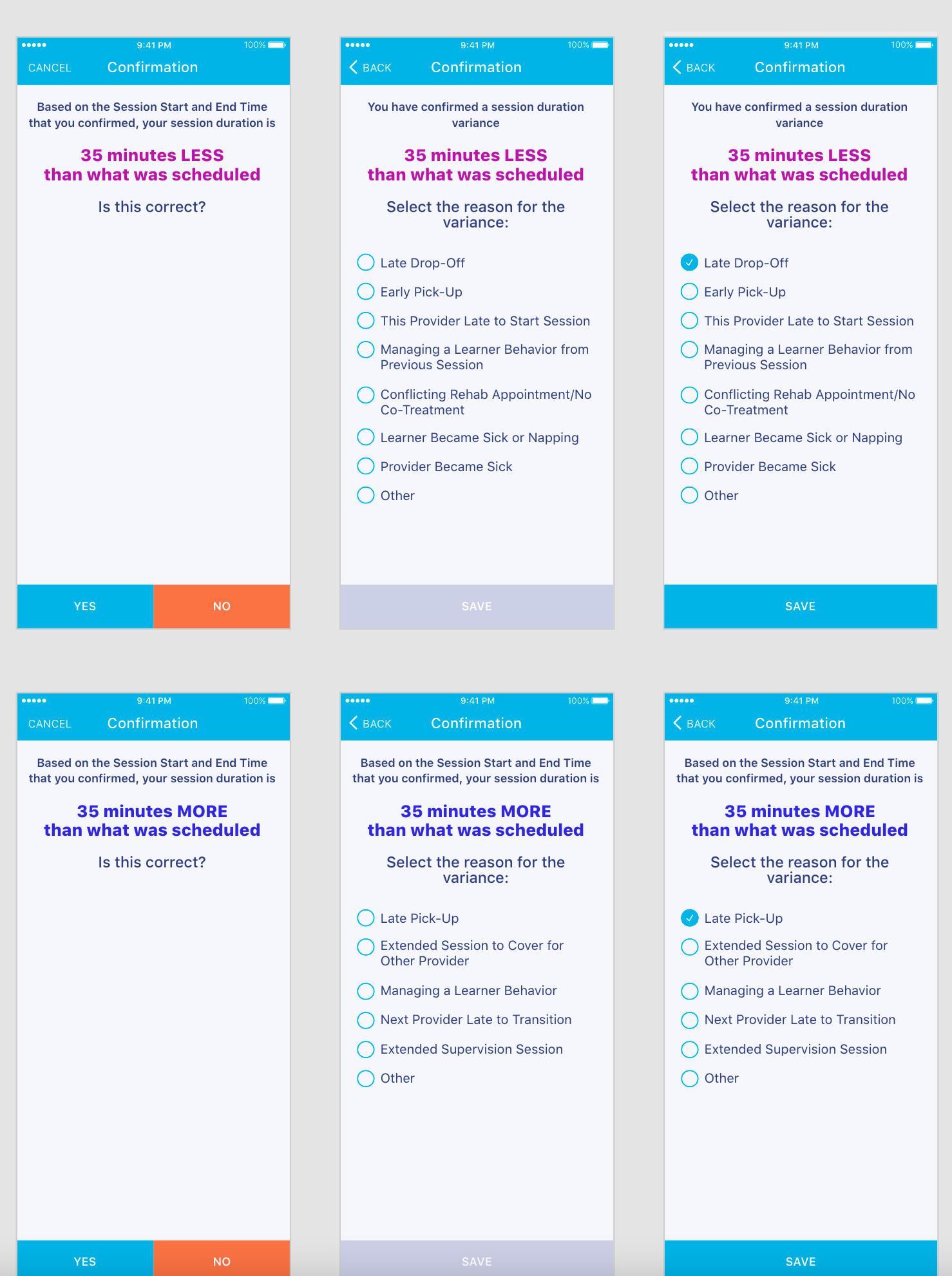
Once you submit the Session Start/End Time Confirmation form, if there is a session duration variance of 8 minutes or more from what was scheduled, the following screens will display asking you to confirm whether the duration variance displayed is correct and the reason for the variance.
- Screen #1: If you tap NO, the Start/End Time Confirmation form will again display so that you can correct your responses
- Screen #2: If you tap YES on Screen #1, the second screen will appear asking you to select the reason for the variance.
Contents